AI interior design: what it does, what it gets wrong and how to check
AI interior design takes a photo of a real room and redraws it in a new style with an image model. Room Stylist AI is a tool of this kind. It also measures whether your walls, windows and doors stayed put and rejects the render if they did not.
By Sunny Patel. Last updated
This page explains what is going on underneath so you can judge the output of any tool including ours.
What AI interior design actually does
An image model receives your photo plus an instruction such as "restyle this living room in Japandi and keep the walls, windows and doors". It returns a new image. It does not build a 3D model of your room or know its measurements. It predicts what a Japandi version of that picture would look like.
That has two consequences:
- It is cheap to run. Each render in our tests cost about five US cents in model fees.
- It can quietly change the room. Nothing forces the model to keep the window the same width or the camera in the same place. Most of the time it does. Sometimes it does not and the result looks convincing anyway.
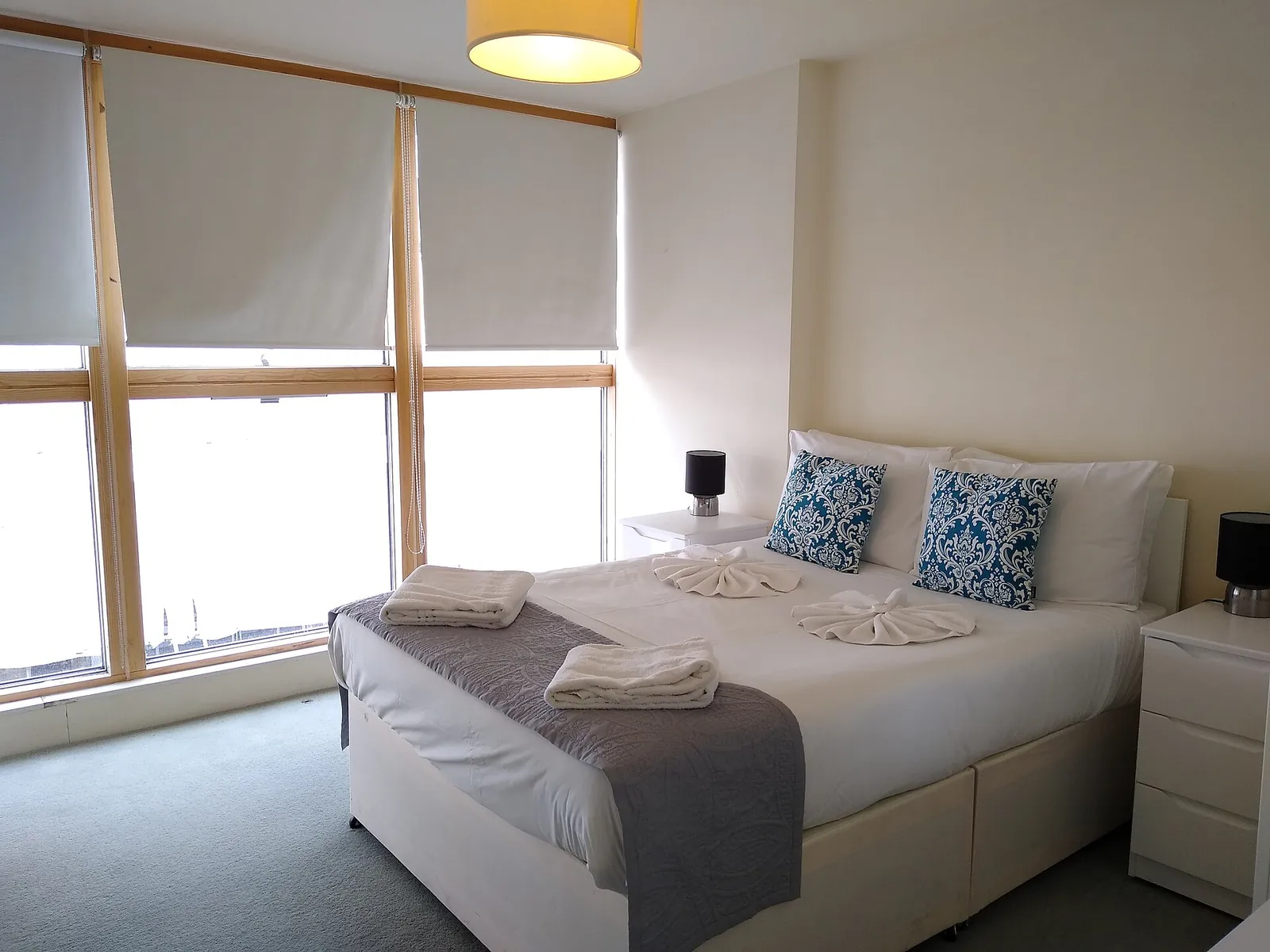
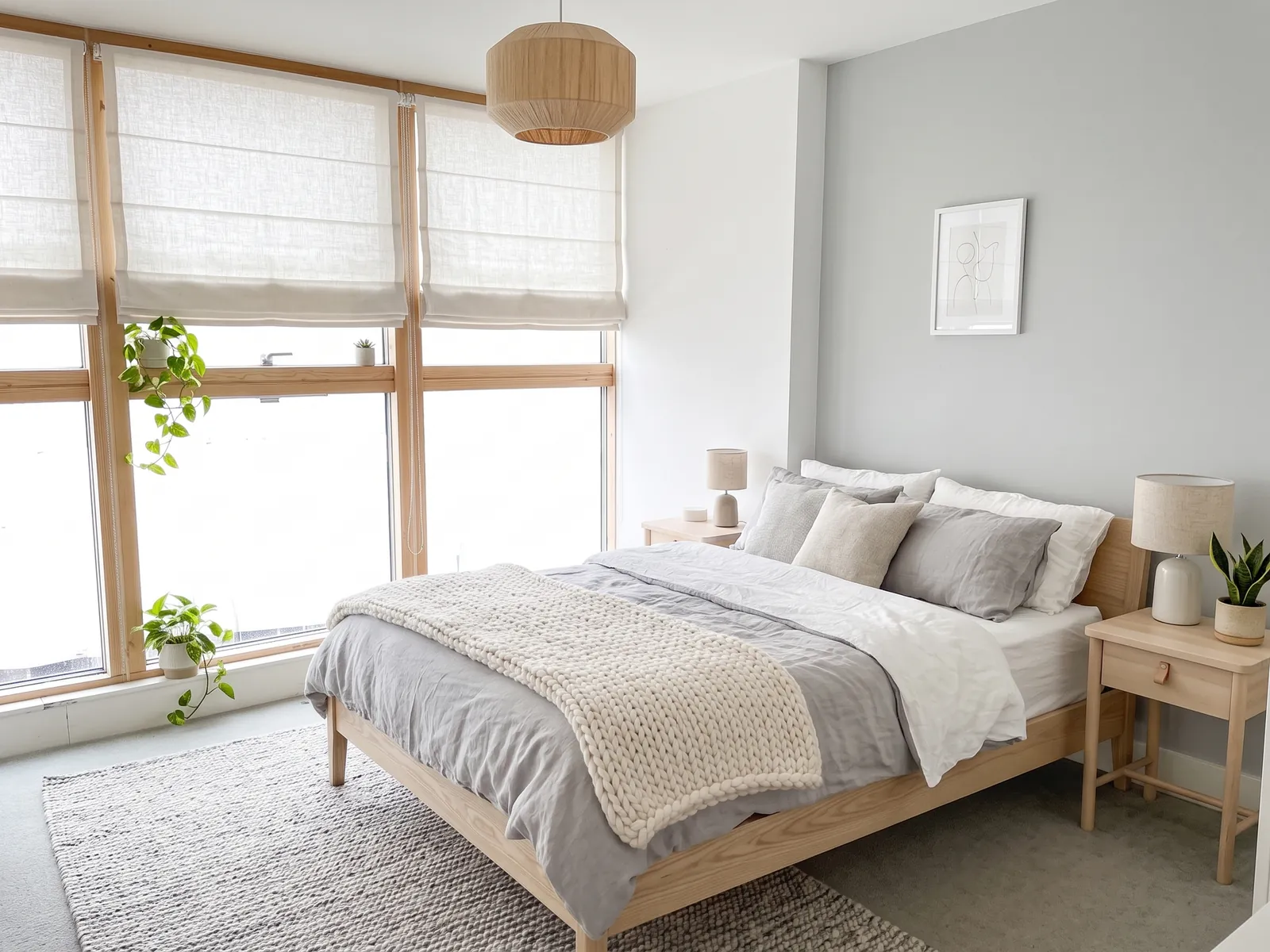
What it can change well
- Wall colour and wallpaper
- Flooring finish and rugs
- Furniture style, upholstery and bedding
- Kitchen cabinet fronts, worktops and splashbacks
- Tiles, taps and vanity units in bathrooms
- Lighting, curtains, plants and accessories
What it gets wrong
In our launch tests 7 of 24 room and style pairs failed our layout check on all three attempts. The failures had a pattern:
- Reframing. The model zooms in or out by one to three percent or shifts the view. Every line moves a little. The room looks right but no longer matches your photo.
- Wide-angle photos. Phone ultra-wide lenses bend straight lines. The model straightens them and rebuilds the room from a new viewpoint. Our wide-angle bathroom failed in all three styles.
- Some photos fail more than others. On one empty bedroom two of three styles failed all three attempts and the third passed.
- Invented items. Sockets, switches and radiators can appear, vanish or move. These are small enough that most layout checks including ours will not catch every one.
How to check a render yourself
- Open the before photo and the render side by side at the same size.
- Find three fixed points: a ceiling corner, a window edge and a door frame.
- Check each one sits in the same place in both images. The shot was reframed if all three have moved the same way.
- Count the windows and doors. They should match exactly.
- Check anything expensive to move: sink, toilet, radiator, fireplace.
Room Stylist AI does steps 2 and 3 for you. It traces those lines in red then lays them over the render and scores the match. See how the score works.
AI interior design by room
- Kitchen: cabinet fronts, worktops and splashback.
- Bathroom: tiles, vanity and lighting.
- Bedroom: bedding, headboard and paint.
- Living room: seating, rug and curtains.
To try it on your own room start at AI room design from a photo.
Questions
Is AI interior design any good?
Yes for trying out a style on your own room. It is fast and cheap and the results are realistic. It is not a substitute for a designer or a measured plan. It can change the room without telling you so check the output.
How do I know if an AI render changed my room?
Compare three fixed points in the before photo and the render: a ceiling corner, a window edge and a door frame. Then count the windows and doors and check anything expensive to move.
Is there free AI interior design?
Free tiers vary by tool so check what each one includes. Planned launch pricing for Room Stylist AI is two free renders with no card then £0.99 per render. Rejected renders will neither use your free allowance nor be charged.
Do AI interior designers replace real ones?
No. An image model does not know your budget, your measurements, building regulations or what is behind the wall. It is a quick way to see a style before you spend money or talk to a professional.